How to Organize Important Documents at Home (A System You Can Keep Up)
Most homes have a paper problem that grows quietly: a drawer of mixed letters, a box of “important stuff,” and a few critical documents nobody can find when they are needed. Getting organized does not require a home office or expensive software. It requires a simple system and a bit of routine.
In this guide I share how I organize important documents at home, from the first sort to safe storage and digital backups. This is about your everyday household filing. If you are specifically building a grab-and-go set of copies for emergencies, see what documents to keep in an emergency binder. The two work together.
Why It Is Worth Doing
Organized documents save time every month: paying bills, renewing a passport, filing taxes, making an insurance claim. They also matter when life is disrupted. Ready.gov notes that after a disaster, “having access to personal financial, insurance, medical and other records is crucial for starting the recovery process quickly and efficiently” (Financial Preparedness).
Step 1: Gather Everything in One Place
Pick a weekend afternoon. Collect every piece of paper from drawers, bags, the car and the kitchen counter. Put it in one pile on a large table or the floor. It looks worse before it looks better, and that is normal.
Step 2: Do a First Sort Into Three Piles
I sort quickly, without reading every page in detail:
- Action – things that need doing: bills to pay, forms to return, appointments to book
- Keep – documents you need to retain
- Let go – duplicates, junk mail, expired offers, old manuals you can find online
For anything with personal information in the “let go” pile, shred it rather than putting it in recycling. Ready.gov cautions people to be careful about sharing personal financial information such as account numbers and identification numbers (Financial Preparedness).
I am deliberately not giving a list of how many years to keep tax records or bank statements, because those rules depend on your country and situation. Check your national tax authority or a qualified adviser.
Step 3: Choose Your Categories
For the “keep” pile, these categories cover most households. They line up with the record types Ready.gov highlights on its financial preparedness page: identification, financial and legal, medical, insurance and contacts.
- Identity – birth certificates, passports, ID cards, marriage or divorce certificates, citizenship papers
- Medical – insurance cards, immunization records, test results, prescriptions
- Insurance – home or renters, vehicle, health, life
- Home – deed or lease, mortgage, home improvement receipts, home inventory
- Vehicles – registration, title, service records
- Money – bank, credit cards, loans, pensions or retirement accounts
- Income and tax – pay slips, tax returns, supporting documents
- Legal – wills, powers of attorney, guardianship
- Education and work – diplomas, certificates, employment contracts
- Pets – vet records, microchip details
- Warranties and manuals – for current appliances only
Step 4: Use a Three-Tier Filing System
This is the part that makes the system easy to maintain.
Tier 1: Active file (the “inbox”)
A single tray or folder for items that need action. Check it weekly. When something is done, it either moves to Tier 2 or gets shredded.
Tier 2: Reference file
A filing drawer or accordion file with one folder per category above. This is where you put things you might need this year: current insurance policies, recent bank statements, this year’s tax paperwork.
Tier 3: Archive and vital records
- Archive: older documents you need to retain but rarely access, in a labeled box.
- Vital records: originals that are hard to replace, such as birth certificates, passports, deeds and wills. These deserve the most protection (see Step 5).
Step 5: Protect Your Vital Records
Ready.gov suggests storing important documents in a safety deposit box, on an external drive or in the cloud (Financial Preparedness). Its low and no cost tips add a very practical idea: store important documents such as passports and birth certificates in a flood-safe place like a high shelf or upper floor, in resealable water-tight plastic bags, and store documents like insurance policies digitally.
Options, from simplest to most secure:
- ☐ Water-tight zip bags on a high shelf
- ☐ A fire- and water-resistant document box at home
- ☐ A home safe
- ☐ A safety deposit box (remember it may not be accessible outside business hours)
Whatever you choose, make sure a trusted adult in the household knows where vital records are and how to access them.
Step 6: Create Digital Backups
Scanning is the best insurance against loss. My approach:
- Scan vital records and key reference documents (a phone scanning app works).
- Name files consistently, for example
2026-insurance-home-policy.pdf. - Mirror your paper categories as folders.
- Store them in an encrypted folder or a secure cloud account with strong authentication.
- Keep a second copy on an external drive stored somewhere else.
Ready.gov also suggests switching regular benefits to electronic payment where possible, noting that a disaster can disrupt mail service for days or weeks (Financial Preparedness). Going paperless for statements reduces clutter too.
Step 7: Write a One-Page “Where Everything Is” Sheet
This is my favorite part of the whole system. One page that lists:
- Where the reference file is
- Where vital records are kept (and who has the safe code or key)
- Where digital backups live and who has access
- Key contacts: bank, insurer, doctor, lawyer, accountant
Ready.gov’s household contact list includes banking institutions, insurance agents, health professionals and service providers. Do not write passwords on this sheet. Use a password manager and share emergency access with a trusted person if appropriate.
Step 8: Build Your Emergency Binder From the System
Once your documents are organized, making an emergency binder is quick: copy the key pages from your vital records and reference file, and put them in one portable binder. I walk through that in how to make a family emergency binder.
Step 9: Keep It Up With a Simple Routine
- Weekly: clear the action tray
- Monthly: file paperwork from the tray into the reference folders
- Yearly: move last year’s reference papers into the archive, shred what you no longer need (based on your local rules), update scans, and review the “where everything is” sheet
If You Want Pre-Made Pages
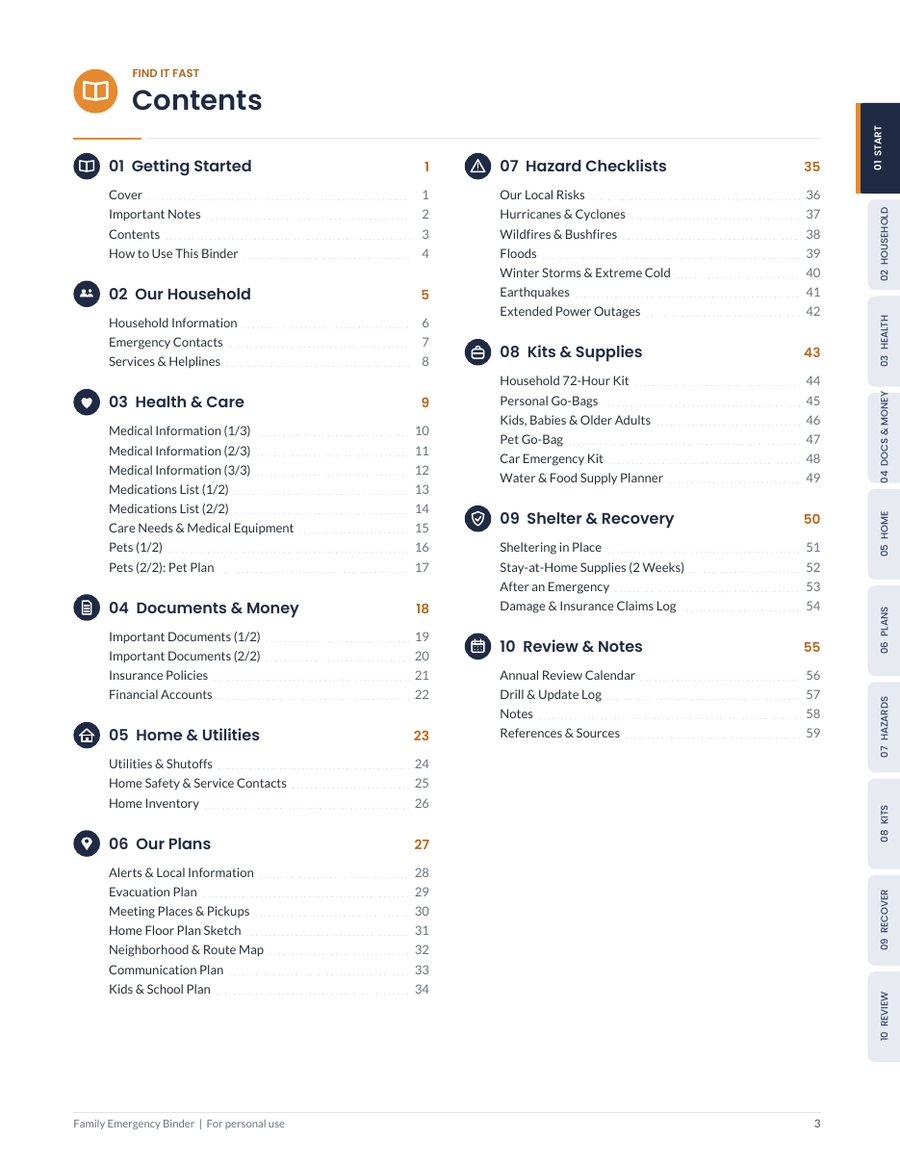
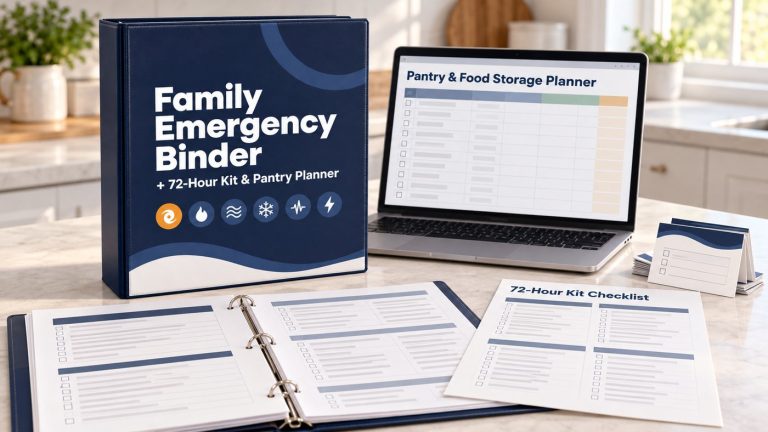
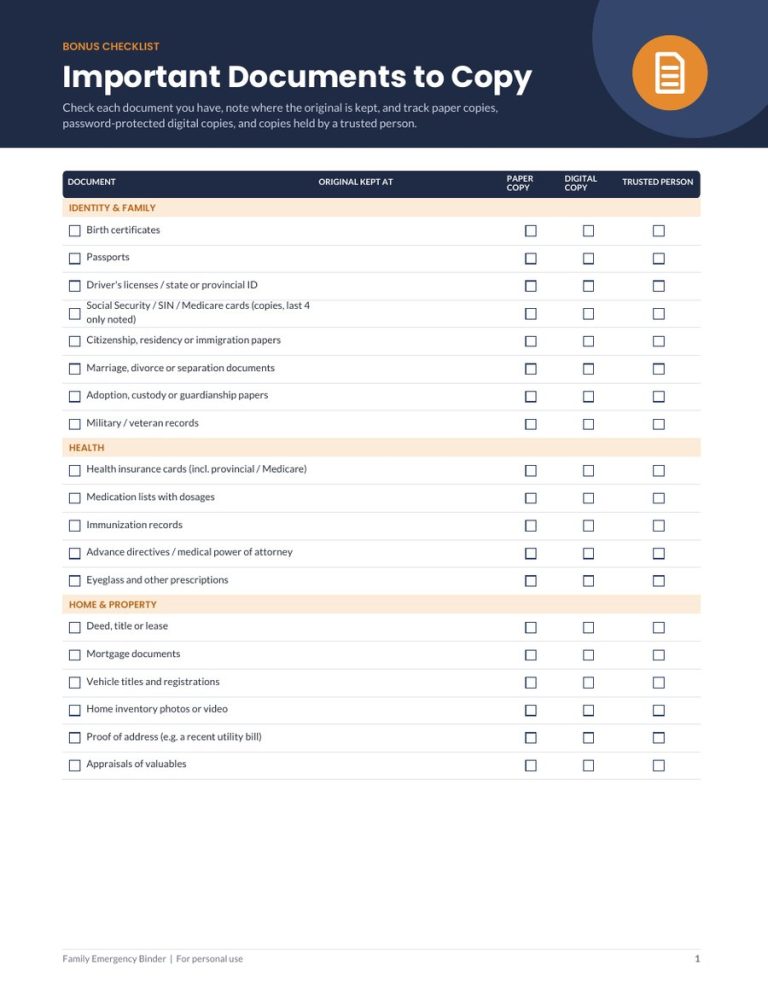
You can do all of this with folders and a notebook. If you would like ready-made pages for the “where everything is” side, I included them in the Family Emergency Binder + 72-Hour Kit & Pantry Planner. The 59-page fillable binder has a Docs & Money section for listing important documents (paper copy, digital copy and where each is stored), insurance policies and financial accounts without full numbers, and a Home section with a home inventory. There is also a 2-page Important Documents to Copy checklist for noting where each original is kept and whether a paper copy, a digital copy or a trusted person has one. Details are here.
FAQ
What is the best way to store important documents at home?
Keep originals of hard-to-replace documents in a protected place, such as a fire- and water-resistant box or safe, and back them up digitally. Ready.gov also suggests water-tight bags on a high shelf as a low-cost option.
How long should I keep financial documents?
It depends on your country and circumstances. Check your national tax authority or a qualified professional rather than relying on a general rule.
Should I scan everything?
I scan vital records and documents I might need to reference or prove. Routine paperwork that is available online from the provider usually does not need scanning.
Is it safe to store documents in the cloud?
It can be, if you use a reputable service, strong unique passwords and multi-factor authentication. Encrypting sensitive files adds another layer.
Conclusion
To organize important documents at home, gather everything, sort into action, keep and let go, file by category in a three-tier system, protect vital records, back up digitally, and write a one-page guide to where everything is. A short weekly and yearly routine keeps it working.
Disclaimer: This article provides general preparedness information only. It is not professional, legal, medical, or financial advice. Always follow the guidance of your local authorities and emergency services.
One Comment
Comments are closed.